



FAQs
Got questions about rewards?
Where can I use my SFC+ Points?
You can redeem your SFC+ Points for:
• Groceries at Seafood City
• Meals and treats at Grill City and Bakers Avenue
• Digital gift vouchers in the SFC+ app. Just choose a reward that matches your points balance.
More ways to enjoy your points, all in one app.
• Groceries at Seafood City
• Meals and treats at Grill City and Bakers Avenue
• Digital gift vouchers in the SFC+ app. Just choose a reward that matches your points balance.
More ways to enjoy your points, all in one app.
I’m already a member of Seafood City. Do I still need to download the SFC+ app?
Yes! To fully enjoy your membership and earn rewards, you’ll need the SFC+ app.
The app lets you:
• Earn and track SFC+ Points
• Redeem rewards and vouchers
• Access exclusive promos and offers
Download it on the App Store or Google Play to start earning more perks.
The app lets you:
• Earn and track SFC+ Points
• Redeem rewards and vouchers
• Access exclusive promos and offers
Download it on the App Store or Google Play to start earning more perks.
How do I check my SFC+ Points balance?
Easy! Just open the SFC+ app and log in. Your current SFC+ Points balance is displayed right on your dashboard.
What is the value of SFC+ Points?
Every 1,500 SFC+ Points = $15 worth of rewards you can use at Seafood City and Food Services or in-app redemptions.
Point values for digital vouchers may vary depending on the reward.
Point values for digital vouchers may vary depending on the reward.
Do SFC+ Points expire?
Yes. SFC+ Points expire 6 months from the date they are earned.
Because points come from different transactions, they may have different expiration dates. We recommend checking the app regularly so you can use your points before they expire.
Because points come from different transactions, they may have different expiration dates. We recommend checking the app regularly so you can use your points before they expire.
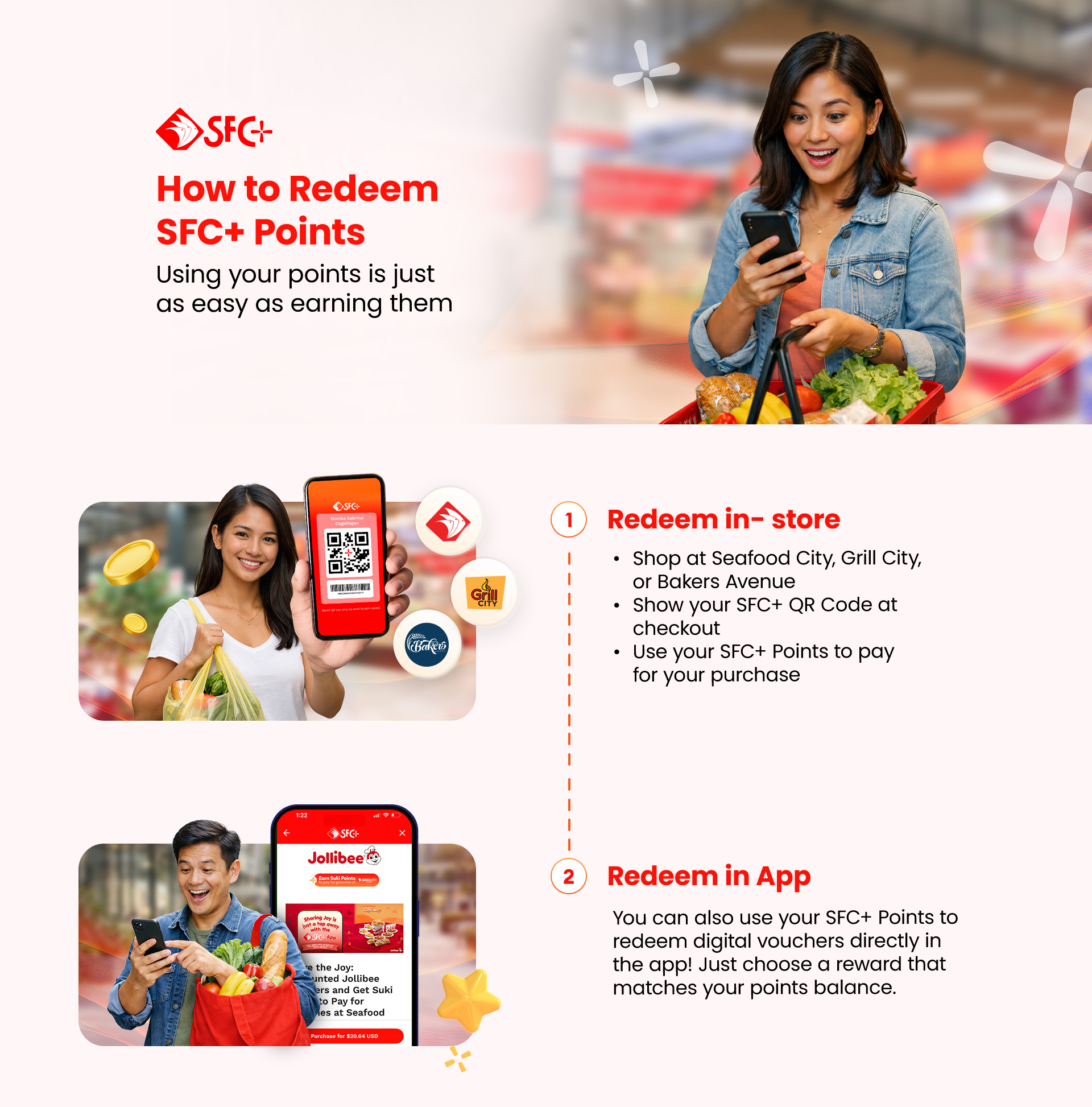
How do I redeem SFC+ Points in-store?
- Shop at Seafood City, Grill City, or Bakers Avenue
- Open your SFC+ app
- Show your SFC+ QR code at checkout
- Tell the cashier you’d like to use your SFC+ Points
Your points will be applied to your purchase instantly.
Can I redeem SFC+ Points inside the app?
Yes! You can use your SFC+ Points to redeem digital gift vouchers in the app.
Just browse available rewards, select a voucher that matches your points balance, and confirm your redemption.
Just browse available rewards, select a voucher that matches your points balance, and confirm your redemption.
Do I earn SFC+ Points on all purchases?
You can earn SFC+ Points when you:
• Shop eligible items at Seafood City, Grill City, or Bakers Avenue
• Use SFC+ Remit
• Subscribe to iWantT through the app
• Purchase digital gift vouchers inside SFC+
• Shop eligible items at Seafood City, Grill City, or Bakers Avenue
• Use SFC+ Remit
• Subscribe to iWantT through the app
• Purchase digital gift vouchers inside SFC+
What happens if I forget to scan my SFC+ QR code?
Points can only be awarded when your SFC+ QR code is scanned during checkout. Unfortunately, we can’t guarantee points for past transactions if the code wasn’t used.
Tip: Open your app while lining up so you don’t forget
Tip: Open your app while lining up so you don’t forget
Who can I contact if my points are missing?
If you think your SFC+ Points weren’t credited correctly, you can reach out through our support team. You can email support@sfc.plu s or call +1 888 421 2838. Our support team will be happy to assist you.